🖥️ App Tab
The AI@CDS Cloud Application is organised into two main tab pages: App and Setup. This page covers the App tab, which is the primary workspace for all users.
The App tab provides four interconnected panels:
| Panel | Purpose |
|---|---|
| Data Model Viewer | Visual exploration of CDS views and data lineage |
| Master Data Viewer | Browse master data entities linked to a CDS view |
| End-to-End Data Flow | End-to-end pipeline from SAP source to data platform |
| Documentation | Contextual use-case documentation for CDS views |
| Chat | Conversational AI for querying data models |
Data Model Viewer
The Data Model Viewer renders any CDS view as an interactive diagram, showing all its associations, parent views, and field-level relationships.
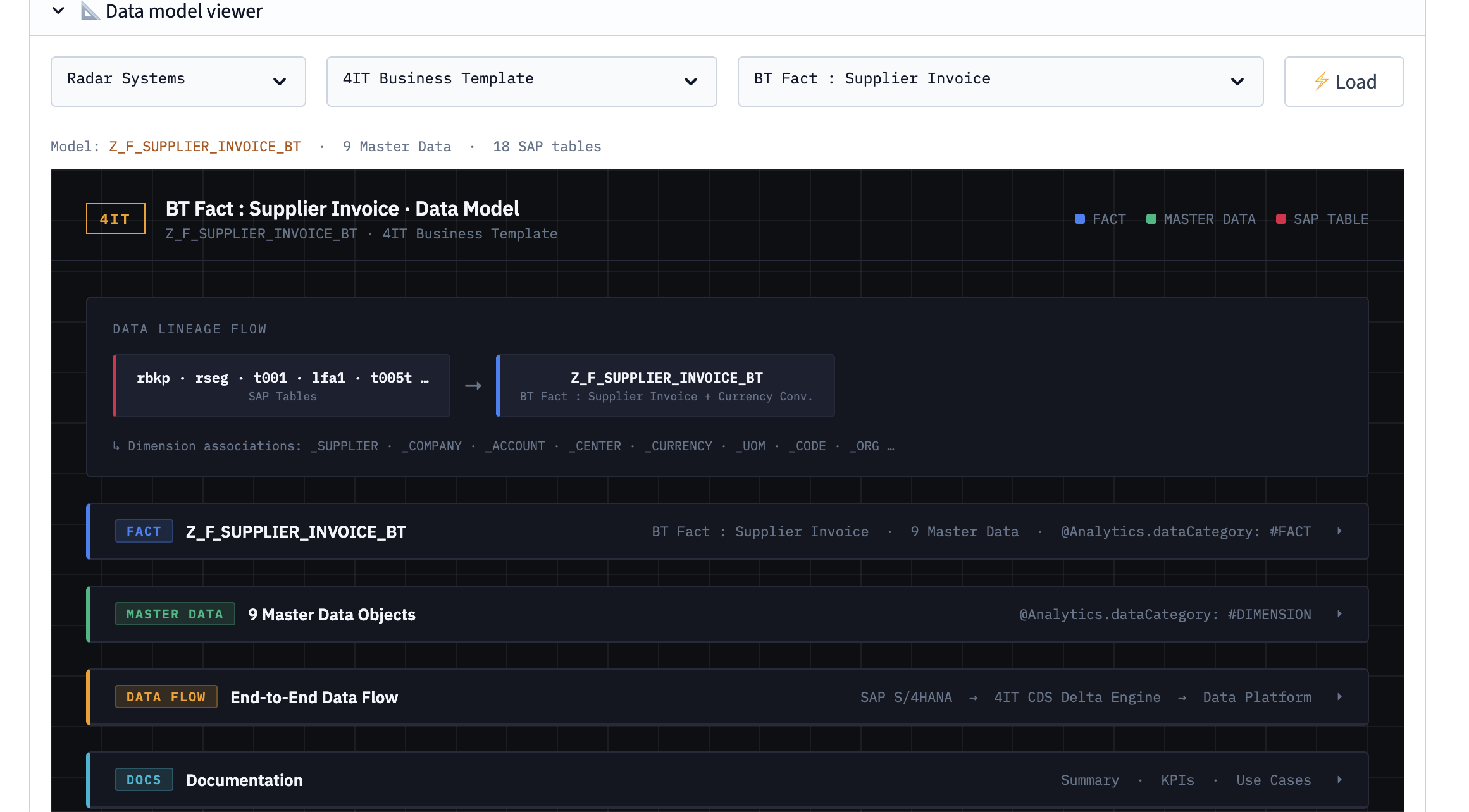
Key features:
- Data lineage navigation — trace where data originates by following the lineage chain upward through source views. Each arrow in the diagram represents a CDS association or join and can be clicked to navigate to the related view.
- Clickable blocks — every entity block in the diagram is interactive. Click any block to load that view as the new focus of the diagram, allowing you to drill down through the data model layer by layer.
- Field details — selecting a block reveals its fields, annotations, and technical metadata in a detail panel.
Master Data Viewer
The Master Data Viewer allows users to inspect the actual master data records associated with the currently selected CDS view. This is particularly useful for understanding the data that underpins a business object.
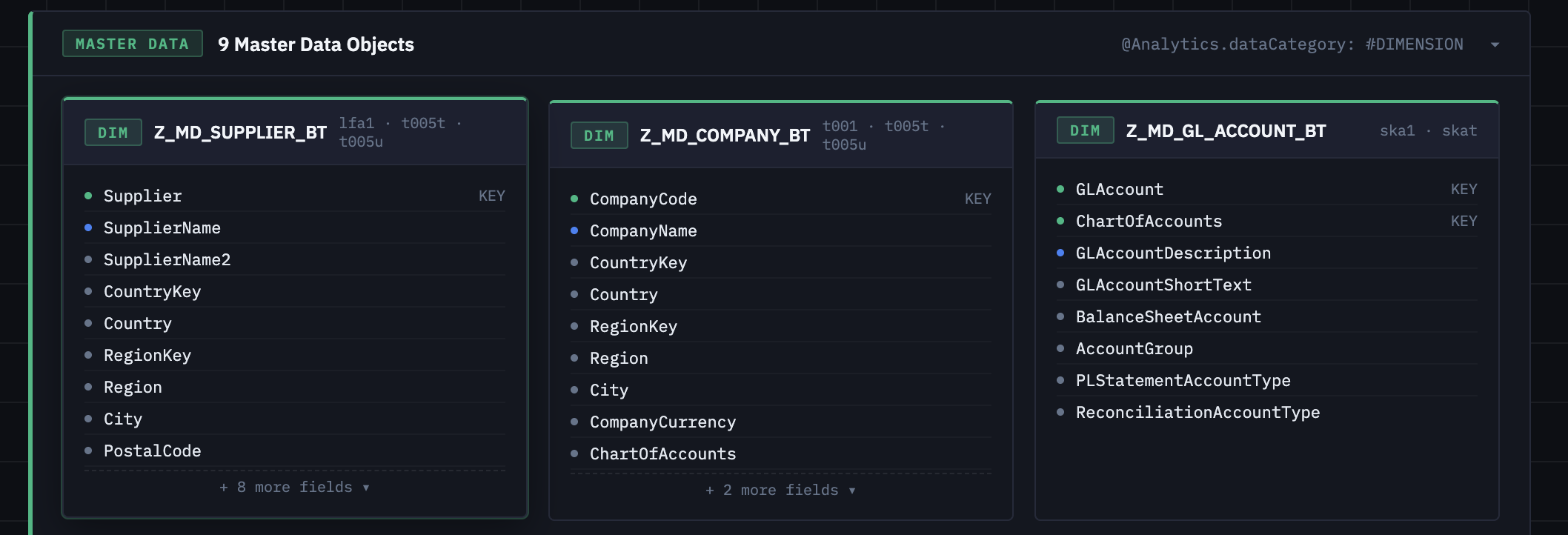
Use the Master Data Viewer to:
- Browse master data entities (e.g. materials, customers, vendors) linked to the selected view
- Verify field values in the context of a specific business object
- Cross-reference master data across related CDS views
End-to-End Data Flow
The End-to-End Data Flow panel provides a high-level visualisation of the complete data pipeline — from the SAP S/4HANA source system through to the cloud data platform.
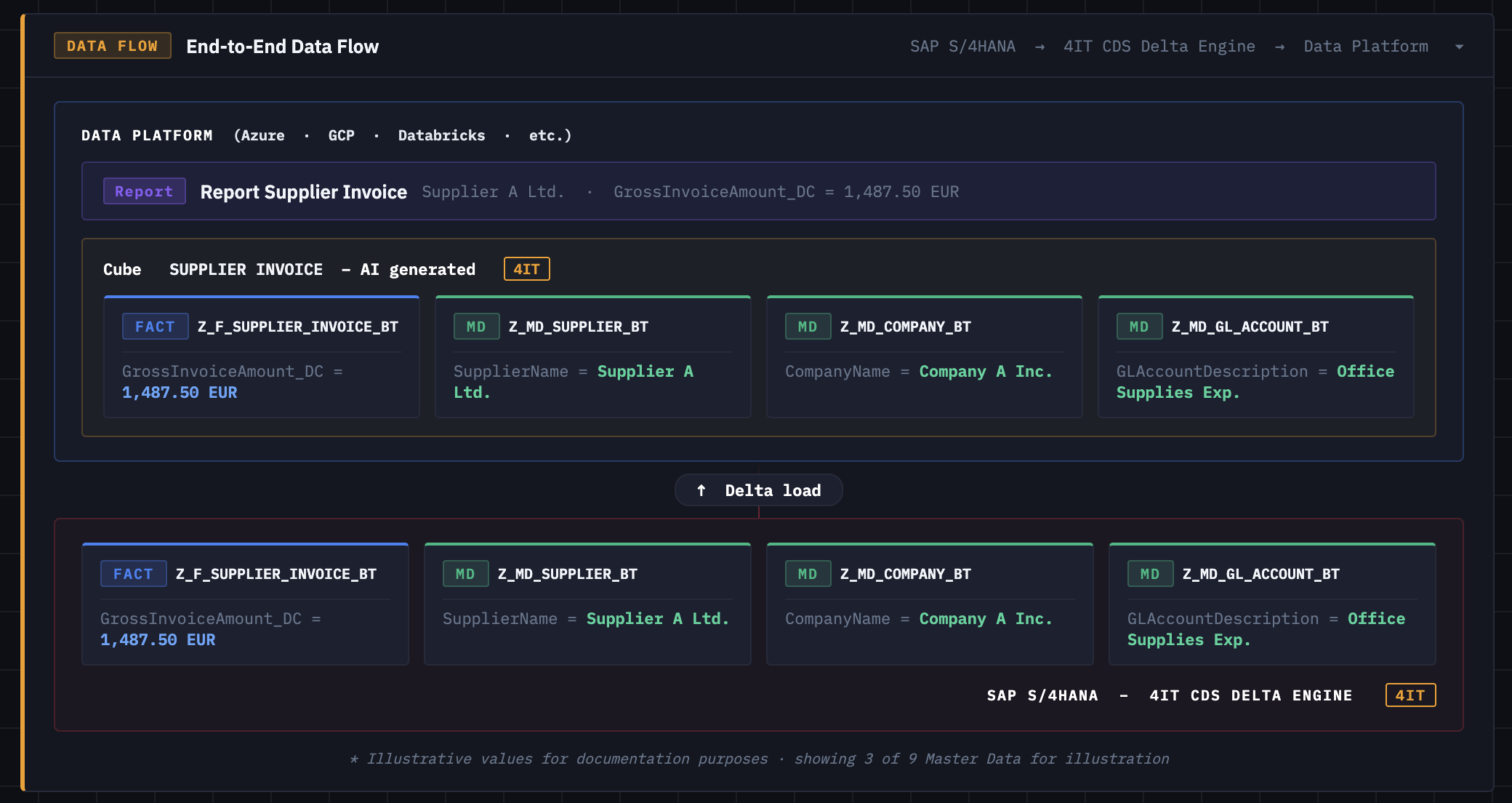
This view helps teams understand:
- How raw SAP data is extracted and transformed through the CDS layers
- Which 4IT Business Templates are involved in the pipeline
- How data is delivered to downstream analytics platforms (Azure, GCP, Databricks, and others)
Documentation
The Documentation panel provides contextual, use-case-driven content attached directly to CDS views. Rather than generic reference material, the documentation illustrates real business scenarios and how specific CDS views serve them.
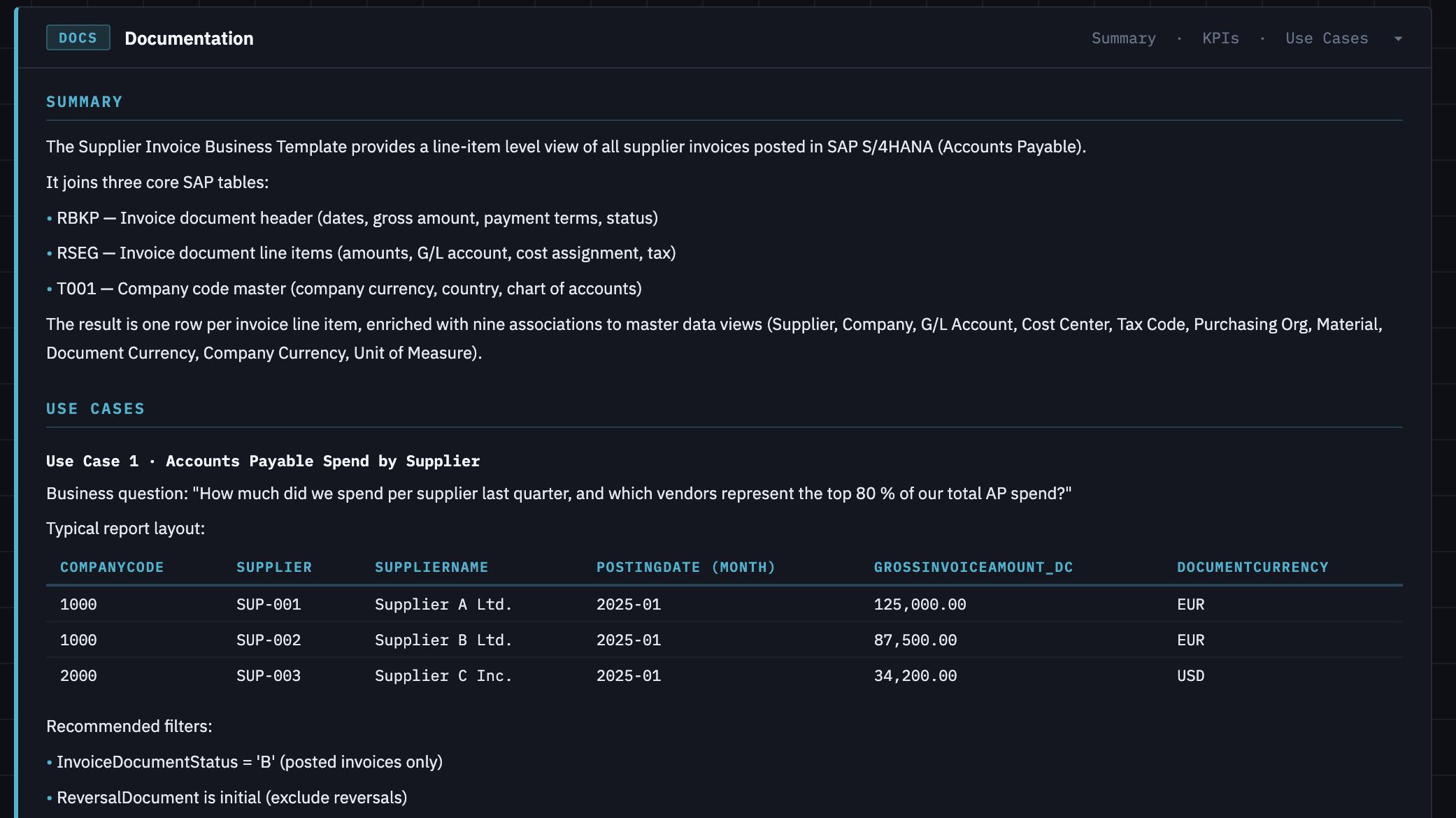
The documentation section includes:
- Use case examples — concrete business scenarios that show how a CDS view is used in practice (e.g. sales order reporting, financial postings, inventory management)
- Field-level explanations — plain-language descriptions of key fields and their business meaning
- Relationship context — notes on how the view connects to other CDS objects in the model
Chat
The Chat pane provides a conversational AI interface that understands the structure of the SAP data model loaded in the current session. Users can ask questions in plain language and receive context-aware answers about any CDS view, field, or business object.
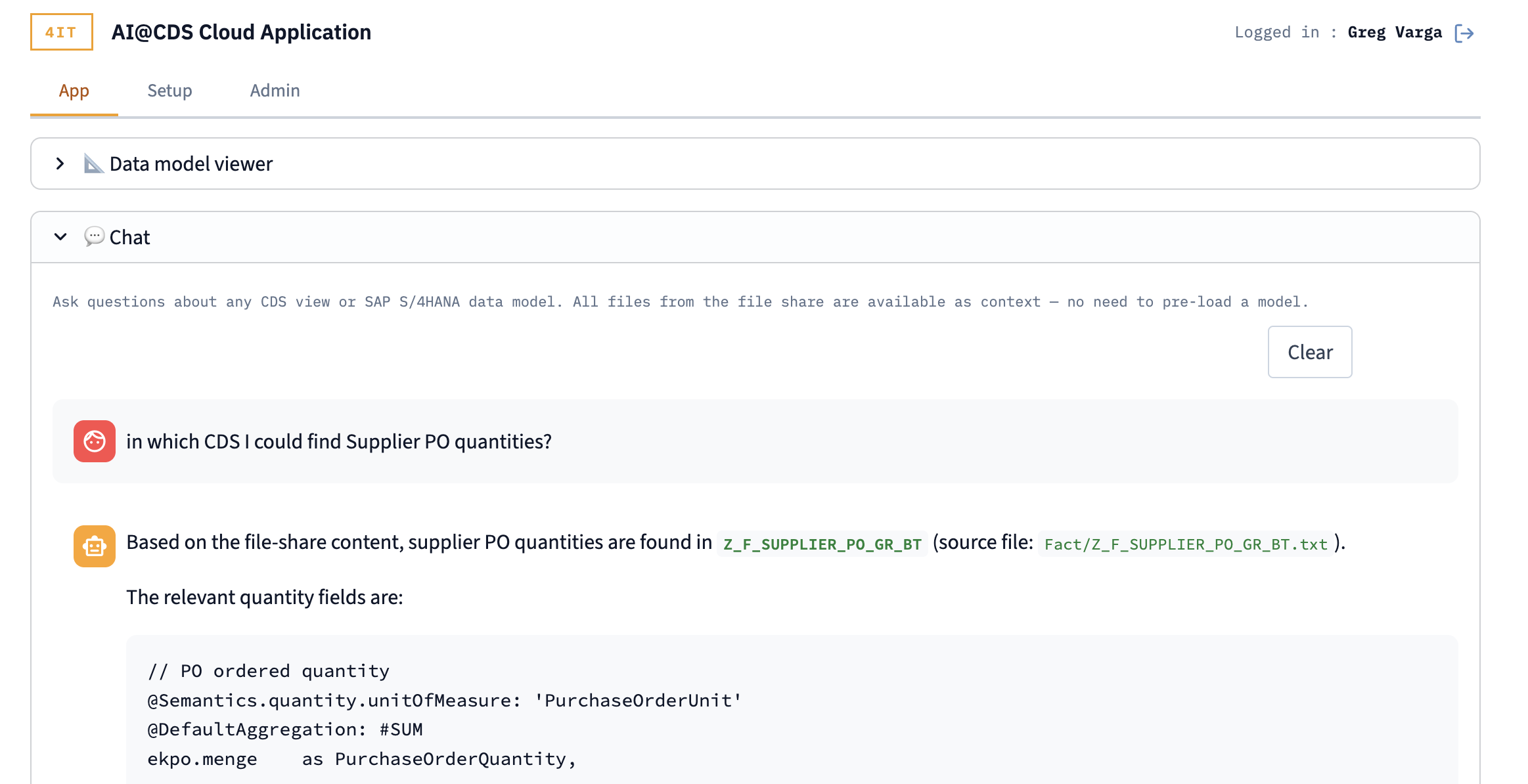
Example questions you can ask:
- "What does this CDS view represent?"
- "Which fields contain the customer number?"
- "How is this view related to the sales order header?"
- "What is the source of the net value field?"
The Chat draws its context directly from the files available in the connected file share — no pre-loading or indexing is required. All CDS views, annotations, and documentation files are available as context in real time.